
Running a service
Congregation alerts: parents and notices
Open Congregation alerts in the right-hand column.
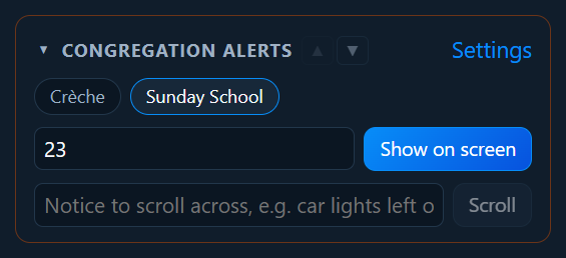
Calling a parent
- Click the group: for example Crèche or Sunday School.
- Type the child’s number (or name).
- Click Show on screen (or press Enter).
A banner appears on the congregation screen, over whatever is showing, and the words make room for it:
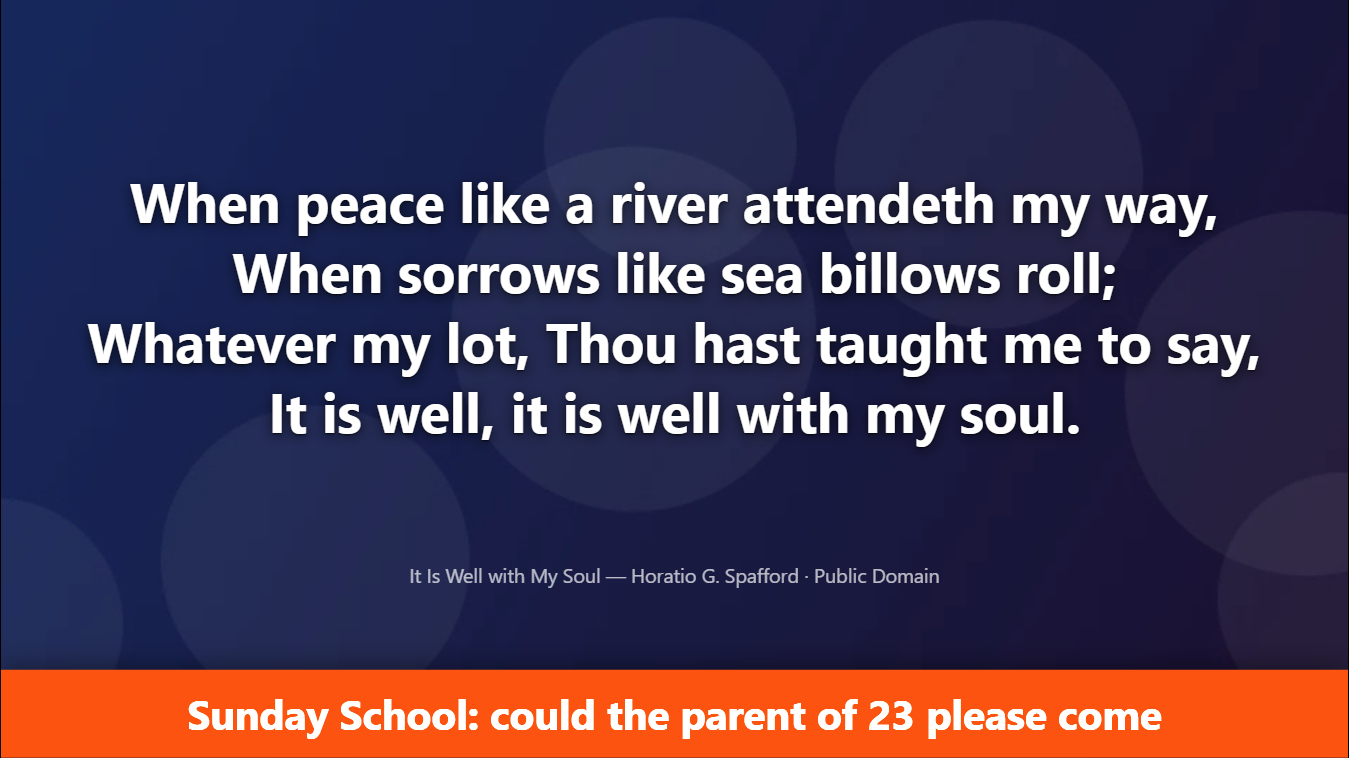
It stays for the number of minutes set (5 to start with), then goes by itself. To take it off sooner, click ✕ next to it in the list. Clear all alerts takes them all away.
Scrolling notices
Type a short notice (“Would the owner of the blue car please see a steward”) and click Scroll. It scrolls across the bottom of the screen a few times, then stops.
Your own group names
Click Settings in Congregation alerts.
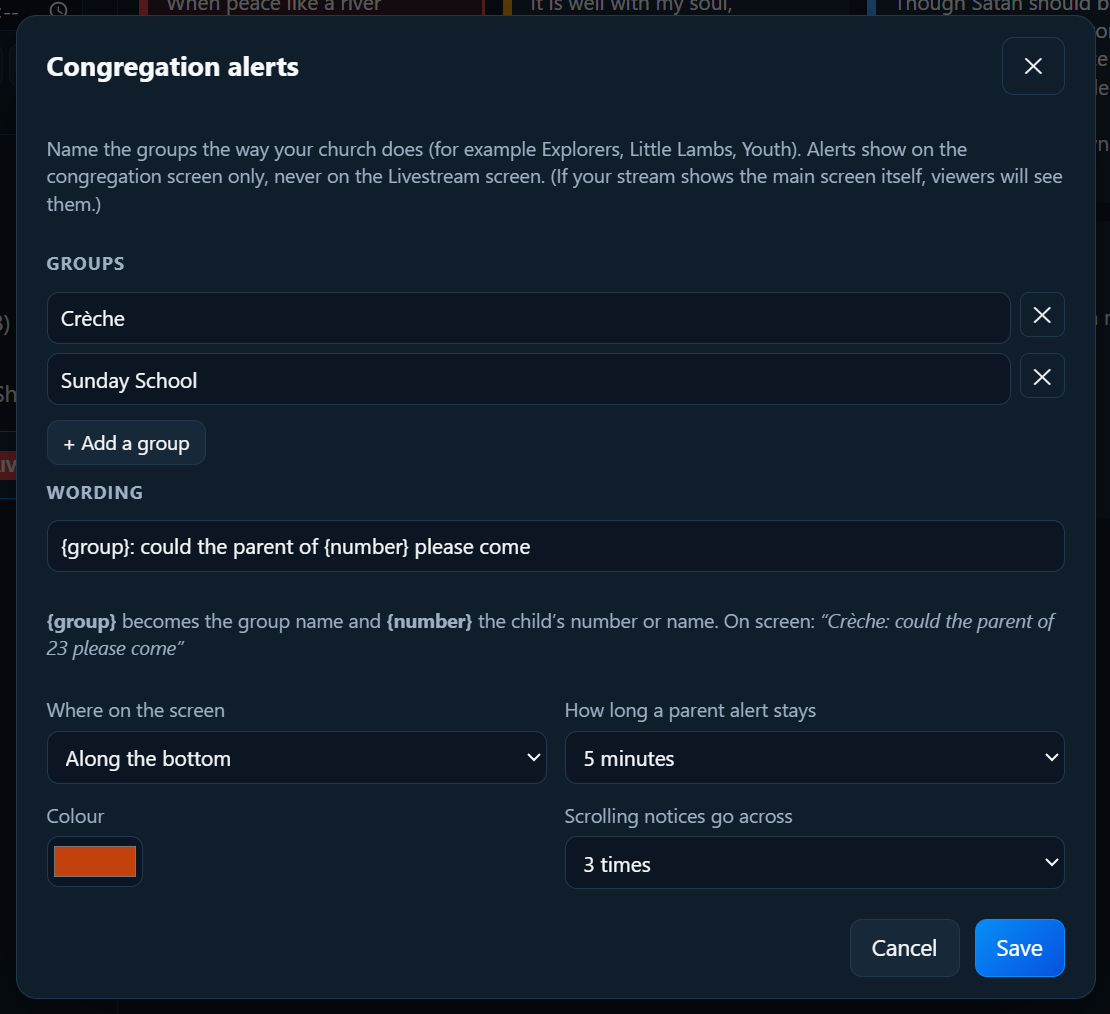
- Rename the groups to what your church calls them: Explorers, Little Lambs, Youth… Add or remove groups.
- The wording: for example
{group}: could the parent of {number} please come.{group}and{number}are filled in. - Where on the screen (along the top or bottom) and the Colour.
- How long a parent alert stays (1 to 10 minutes, or until you clear it), and how many times notices go across.
Click Save. Back to the standard wording undoes changes to the wording.