
Running a service
Band and preacher prompts: timers and prompts
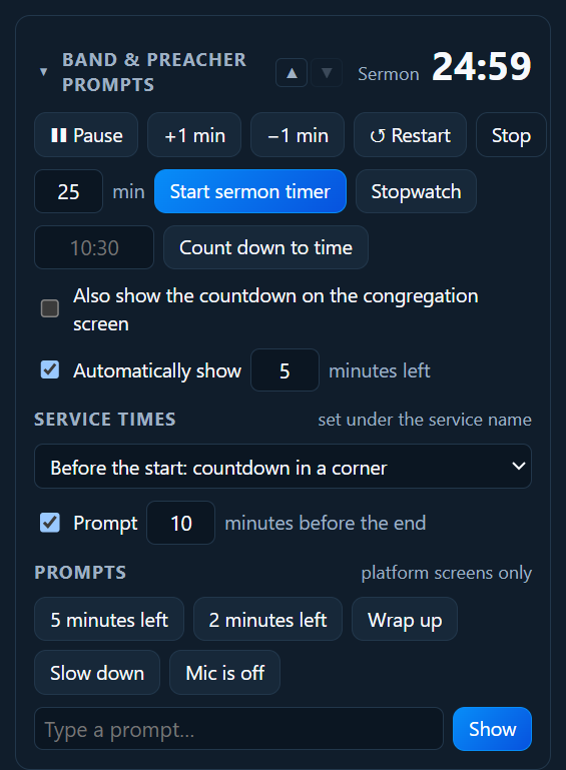
Open Band & preacher prompts in the right-hand column. It has the timer, and the prompts the band and preacher see on their screens.
Service start and end times
Under the service’s name are Starts and Ends. Type the times once (10:30 and 11:45, say); new services get the same times, so most weeks there’s nothing to change.
- Before the service, the congregation screen counts down: Service starts in 4:59, small in a corner over the notices or the logo. It goes as soon as the first item is put on screen.
- During the service, the preacher’s and timer screens show Ends 11:45 · 23 min left, amber near the end and red if it runs over.
- A prompt, 10 minutes to the end of the service, appears on the platform screens at that point.
- The printed service sheet shows the start time.
In Band & preacher prompts, under Service times, choose the countdown (in a corner, full screen, or none) and when the end prompt comes (or untick it).
Nothing stops by itself at the end: if the service runs on as the Spirit leads, the screens just say how far over it is.
Timers
- Start sermon timer: type the minutes (say
25) and click. It counts down. - Count down to time: type a time like
10:30for “Service starts in…”, before the service. - Stopwatch: counts up.
While a timer runs: ❚❚ Pause / ▶ Resume, +1 min and −1 min, ↺ Restart and Stop.
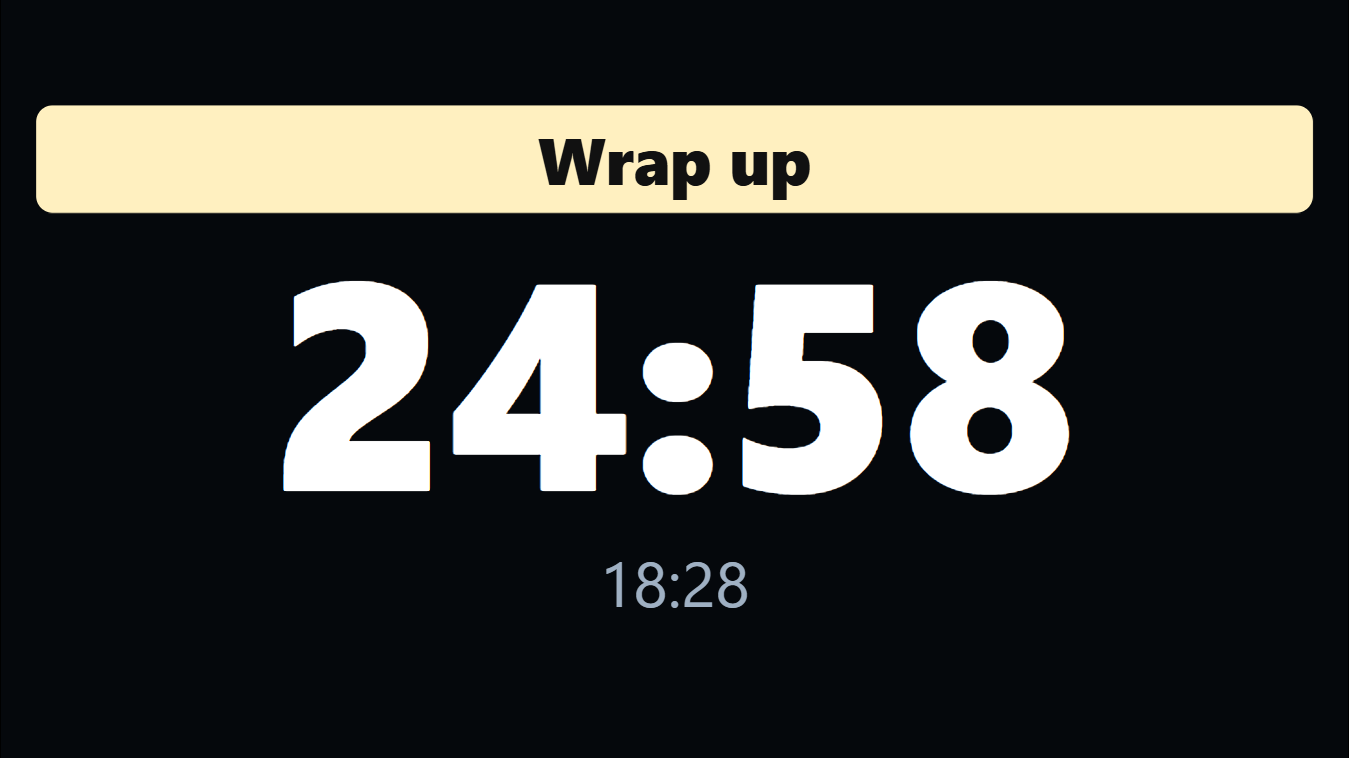
The timer shows on the preacher’s screen and the timer screen. It turns amber in the last few minutes and red when time is up (it keeps counting, so you can see how far over).
Tick Also show the countdown on the congregation screen to show it to everyone, for example “Service starts in 4:59” before the service.
Prompts
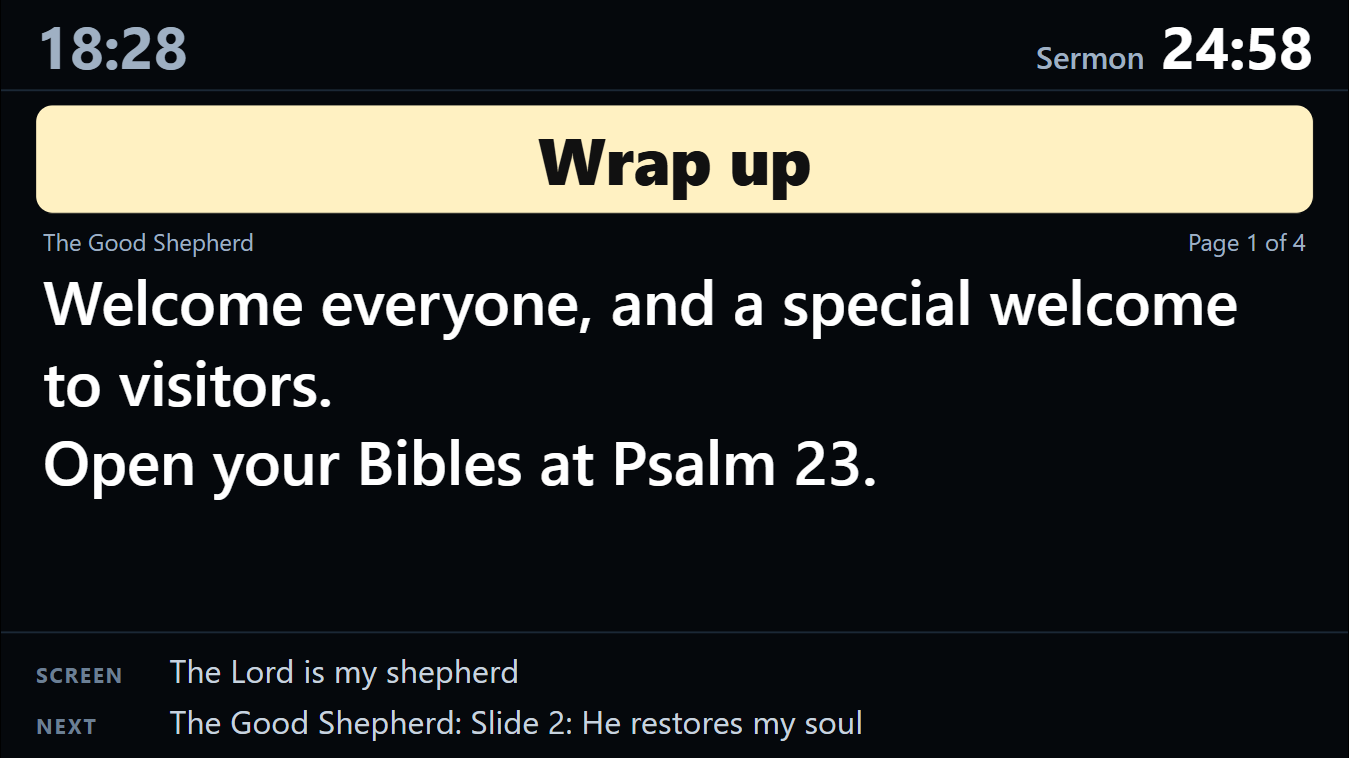
Prompts are quiet messages for the preacher or the band. They show on the preacher’s screen and timer screen only, never to the congregation.
- Quick prompts: 5 minutes left, 2 minutes left, Wrap up, Slow down, Mic is off.
- Or type your own and click Show.
- Clear takes it away.
The automatic prompt
PraiseAV can show “5 minutes left” by itself when the sermon timer gets there. Tick Automatically show and set how many minutes, or untick it to switch it off.
A timer screen
Some churches put a big timer where the preacher or band can see it (a TV on the floor at the front, say). In Screens…, give that screen the Timer job. See Screens.